Shadow box and layered paper SVG files: 3D mandalas, light boxes and framed scenes built from stacked cardstock layers, picked from the most-saved on Creative Fabrica.


Top picks
The two most useful files in this set — checked before the rest, so you can stop here if one of them fits.
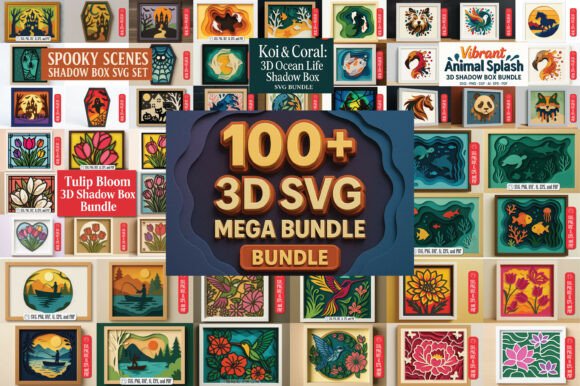
Editor's pickA shadow box — multilayer, mega. Upload the SVG to Cricut Design Space or Silhouette Studio, size it and send it to the mat.
View cut file ↗
Also popularA shadow box — baby, photo, frame. Cut it from vinyl, iron-on or cardstock, weed the extra pieces and it is ready to apply.
View cut file ↗More cut files to explore
Shadow box and layered paper SVG files: 3D mandalas, light boxes and framed scenes built from stacked cardstock layers, picked from the most-saved on Creative Fabrica.

A shadow box — labrador, dog, paw. Keep the file and cut it again in a new color for the next gift.
View cut file ↗
A shadow box — heart, split, monogram. Upload the SVG to Cricut Design Space or Silhouette Studio, size it and send it to the mat.
View cut file ↗
A shadow box — mandala. Cut it from vinyl, iron-on or cardstock, weed the extra pieces and it is ready to apply.
View cut file ↗
A shadow box — custom, name, monogram. Keep the file and cut it again in a new color for the next gift.
View cut file ↗
A shadow box — dog, paw, mandala. Upload the SVG to Cricut Design Space or Silhouette Studio, size it and send it to the mat.
View cut file ↗
A shadow box — castle, hill. Cut it from vinyl, iron-on or cardstock, weed the extra pieces and it is ready to apply.
View cut file ↗
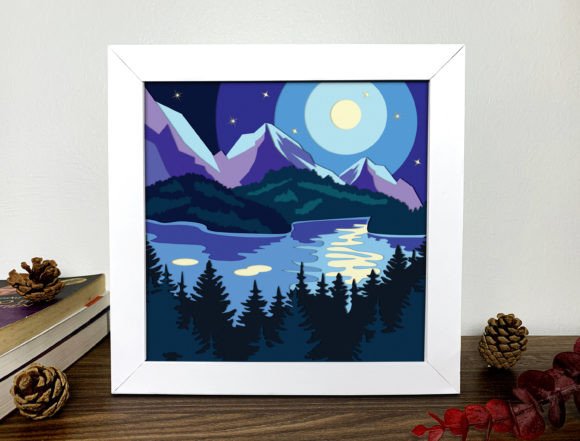
A shadow box — mountains. Keep the file and cut it again in a new color for the next gift.
View cut file ↗
A shadow box — stary, night. Upload the SVG to Cricut Design Space or Silhouette Studio, size it and send it to the mat.
View cut file ↗
A shadow box — cat, butterflies. Cut it from vinyl, iron-on or cardstock, weed the extra pieces and it is ready to apply.
View cut file ↗
A shadow box — deer, fairy, forest. Keep the file and cut it again in a new color for the next gift.
View cut file ↗
A shadow box — night, forest. Upload the SVG to Cricut Design Space or Silhouette Studio, size it and send it to the mat.
View cut file ↗
A shadow box — layer. Cut it from vinyl, iron-on or cardstock, weed the extra pieces and it is ready to apply.
View cut file ↗
A floral shadow box — daisy, mandala. Keep the file and cut it again in a new color for the next gift.
View cut file ↗Heads up: links on this page are affiliate links. If you download through them I earn a commission, at no extra cost to you.
How to choose
Questions people ask
Yes. Creative Fabrica gives you 10 free downloads when you sign up, so any design on this page can be one of them. Pick your favorites first, then download.
An SVG opens in Cricut Design Space, Silhouette Studio (Designer Edition and up), Brother CanvasWorkspace and most other cutting software. Many listings add DXF, PNG and EPS as well; the listing shows the formats.
Most files arrive as a ZIP. Unzip it first, then upload the SVG file itself. Uploading the ZIP is the most common reason a design will not open.
Check the license on the listing before you sell. Creative Fabrica shows the license terms on each product page, and they are the ones that count.
Guides

Cardstock weight, cut settings for intricate layers, numbering, foam spacers, frame size and depth, and how to add LED lights to turn a paper shadow box into a light box.
Read the guide →
Change fold lines from Cut to Score and attach them, pick the scoring tool your machine takes, choose cardstock that folds without cracking, and size boxes to fit the mat.
Read the guide →
Six first Cricut projects in order of difficulty, from a one-color vinyl decal to a folded box, with the skill each one teaches and the tools it needs.
Read the guide →Keep browsing
Creative Fabrica has thousands more shadow box & layered paper svg and SVG cut files for every occasion.
Sign up on Creative Fabrica and get 10 free downloads.